How to Translate Web Novels on Your iPhone
Want to read Chinese, Korean or Japanese novels in English on your iPhone? Whether you're on Novelpia, Ridibooks, Bomtoon, KakaoPage, JJWXC or any other novel platform, you can translate chapters with just one tap. No laptop needed.
OpenNovel is a novel translation service that works on your iPhone. It uses AI models like ChatGPT, Gemini and DeepSeek to translate novels quickly and accurately.
If you want to translate manhwa instead, use OpenToon instead.
Why Translate on iPhone?
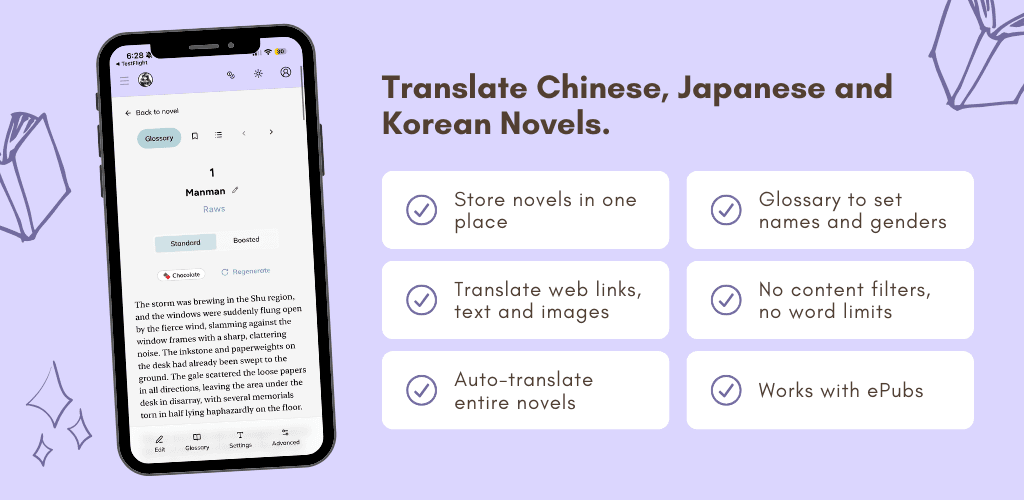
Reading novels on your phone is the easiest way to enjoy web novels, whether you're commuting, in bed, or just relaxing. With OpenNovel on iPhone, you get:
- One-tap translations directly from novel websites
- Accurate AI translations that are easy to read
- Consistent character names and genders with the glossary feature
- No copy-pasting, translate full chapters directly from the source
- Uninterrupted reading with the auto-fetch next feature.
- Support for mature content without running into AI content filters
Step-by-Step: Translate Novels on iPhone
1. Download the OpenNovel App
Download the app here.
2. Create an OpenNovel Account
Sign up for a free account through Apple, Google, Facebook or email.
3. Navigate to Your Novel
Open Safari and go to the novel website you want to read. OpenNovel supports all major platforms, such as:
- Korean: Ridibooks, KakaoPage, Bomtoon, Novelpia
- Chinese: JJWXC, gongzicp (Changpei)
- Japanese: Kakuyomu, Syosetsu, Pixiv
You can see popular raw websites that you can translate from here.
Even if they are not listed above, there's a high chance it will still work with our translator which works for generic websites as well.
4. Translate and Read
Once you're on a chapter page, copy the link to the raw chapter. Go to the OpenNovel app, click "+ Add Translation", and paste in the link.
That's it! You can now read the full translated chapter on your iPhone.
Tips for the Best Experience
Use a Glossary for Consistency
If you're reading a long series, set up a glossary to keep character names, genders and key terms consistent across all chapters. This prevents the AI from translating the same name differently in different chapters.
Learn how to set up a glossary here.
Translate from Official Sources
OpenNovel integrates directly with official novel platforms as well. By purchasing chapters on the original platform and translating with OpenNovel, you support the authors and get a better reading experience.
Check out our guides for purchasing chapters on popular platforms:
- How to buy chapters on Novelpia
- How to buy chapters on Ridibooks
- How to buy chapters on KakaoPage
- How to buy chapters on Bomtoon
Import ePubs
Have an ePub file on your iPhone? You can also upload ePub files directly to OpenNovel and translate them chapter by chapter. Learn more in our ePub translation guide.
Get Started
Start reading novels on your iPhone today. Set up OpenNovel now. It's free to get started and only takes a couple of minutes.