How to Enable Password Login for Your Ridibooks Account
If you created your Ridibooks account using Gmail login, you can set a password so you can log in with a username and password instead.
You will need to do this in order to translate your Ridibooks chapters with OpenNovel.
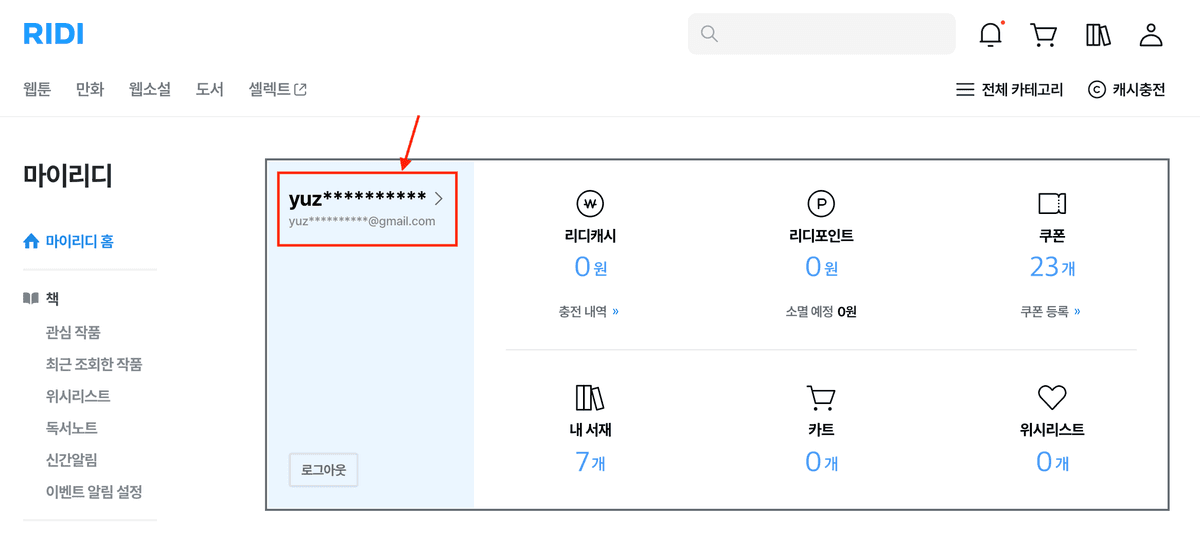
Go to Your Account Settings
Login to your Ridibooks account, and click the profile icon at the top right corner of the Ridibooks website. Then, click on your username to go to your account settings page.
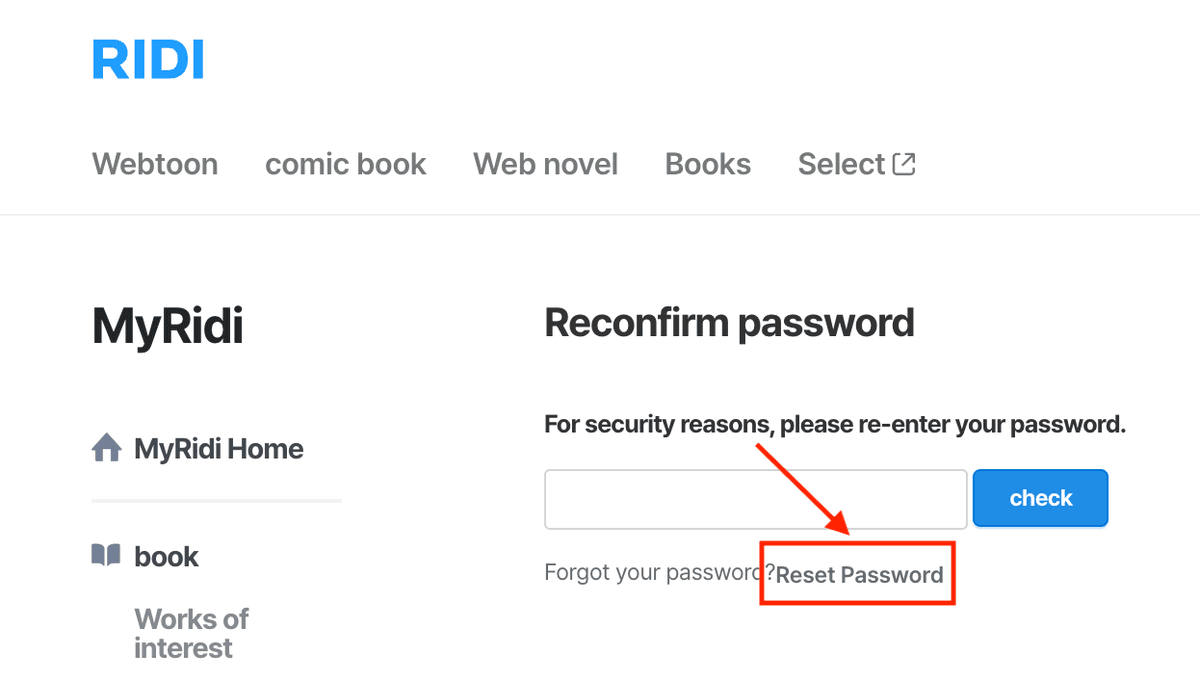
Reset Your Password
On the account settings page, click the "Reset Password" button.
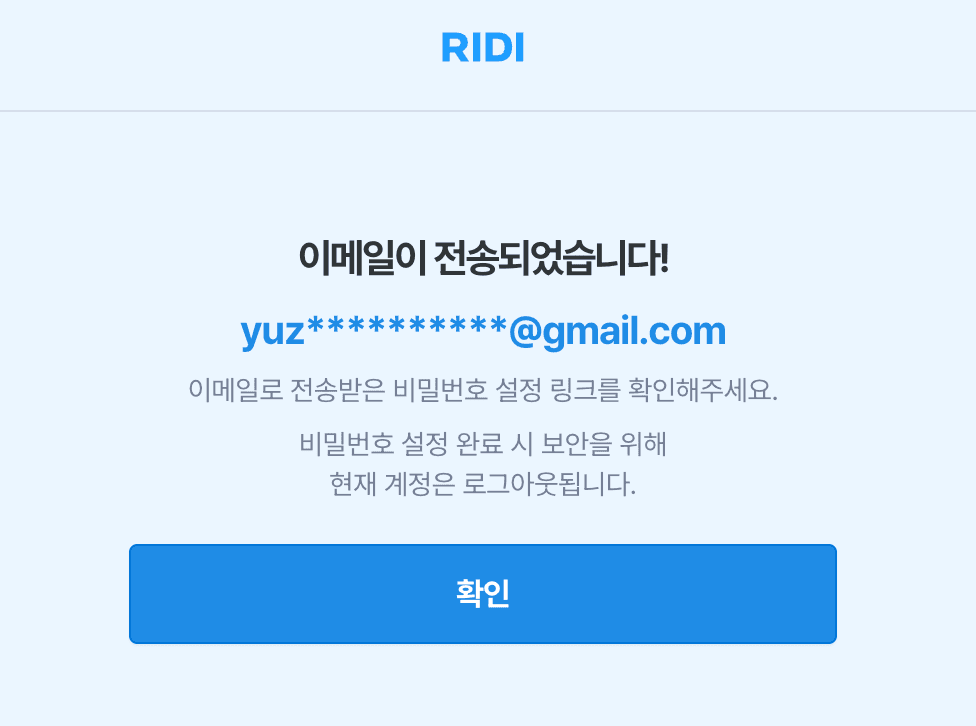
Ridibooks will send an email to your Gmail address with a link to reset your password. Check your inbox (and spam folder, just in case) for the email, then click the link.
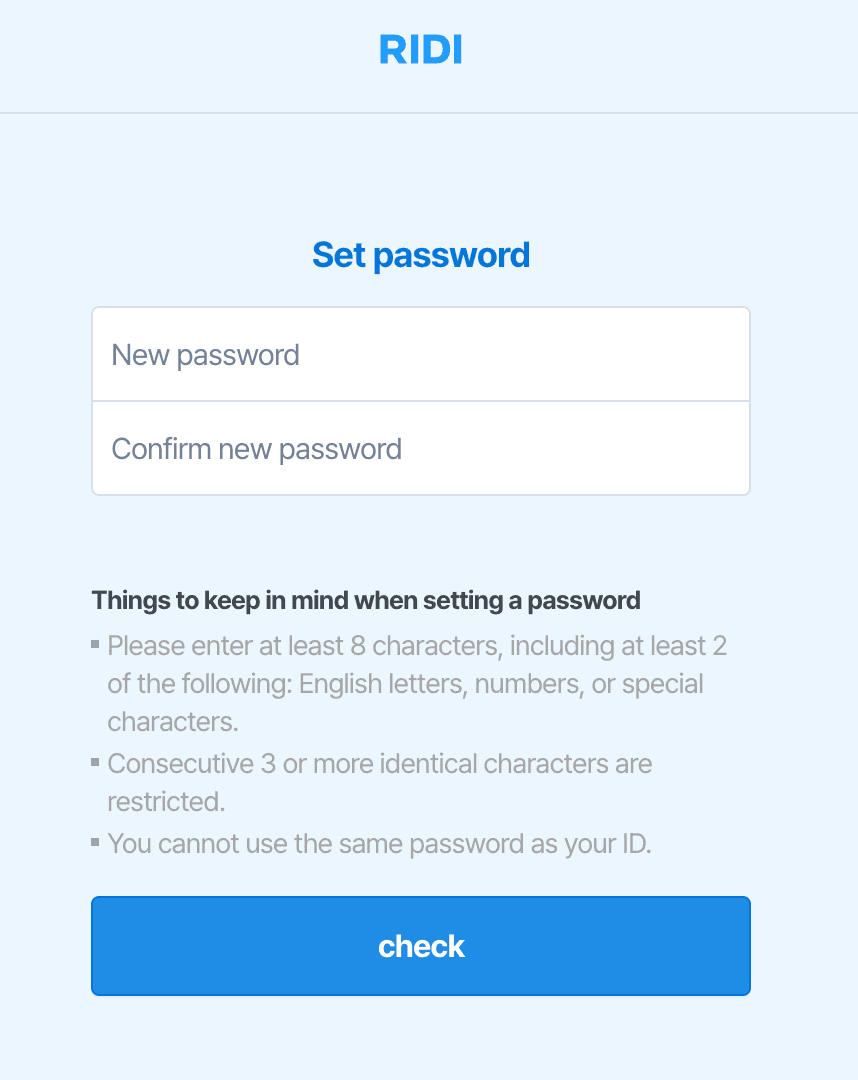
Set a new password when prompted.
Log In with Your Username and Password
You can now log in using your Ridibooks username and the password you just set. Your username is your Gmail address without the @gmail.com part. For example, if your email is opennoveluser@gmail.com, your username is opennoveluser.
Want to read your Ridibooks novels in English? OpenNovel uses state-of-the-art AI to provide fast and highly readable translations. Translate directly from the Ridibooks website on your iPhone, Android and laptop/PC with one click. Try it out now!